Index

Self-hosted media server for audiophiles and home theatres. Your library, your server, full fidelity.




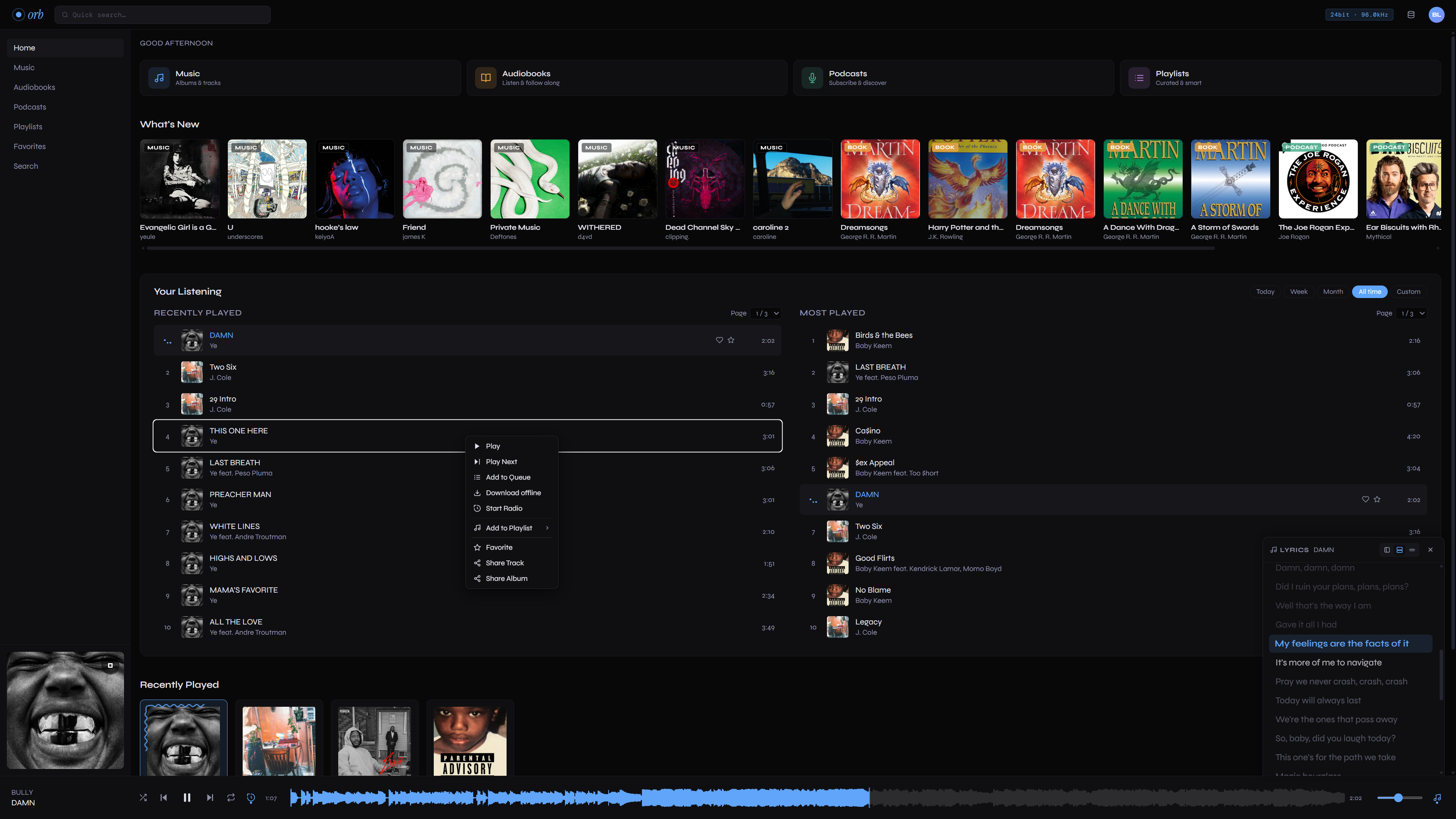
What is Orb?
Orb is a self-hosted server for your entire media collection. One stack indexes and streams lossless music, audiobooks, podcasts, movies, TV shows, and comics to a modern web client, an installable PWA, and native apps on desktop and mobile — with the convenience of a streaming service and full control over your data.
It is built for fidelity. Music plays at full bit depth (FLAC up to 32-bit/192 kHz, plus DSD/SACD), and video runs through an in-house Rust engine that plays the original file untouched whenever the client can — true passthrough, with HDR10 where the display supports it — and only transcodes when it has to.
Everything below is a tour of what Orb does. When you are ready to run it, jump straight to Installation.
Features
Media types
- Music — FLAC up to 32-bit/192 kHz, plus WAV, AIFF, MP3, and DSD/SACD. A WebAudio decoding path streams high-bit-depth FLAC losslessly in the browser, with a 10-band EQ, crossfade, gapless playback, EBU R128 loudness normalization, a real-time visualizer, and synced (LRC) lyrics. See Music libraries.
- Audiobooks — chapter navigation, variable playback speed, per-book bookmarks, resume, and a sleep timer. Single-file (M4B), multi-file, and multi-part layouts are all detected automatically. See Audiobook libraries.
- Podcasts — subscribe to RSS feeds, auto-sync new episodes in the background, and stream them alongside your music. See Podcasts.
- Movies & TV — an in-house native video engine with source passthrough, hardware-accelerated transcoding, HDR10 passthrough on Windows (tone-mapping everywhere else), trickplay scrub previews, per-track subtitle styling, resume across episodes, and Skip Intro/Credits. See Movies & TV libraries.
- Comics & manga — CBZ, CBR, ZIP, RAR, EPUB, and PDF, streamed page-by-page without unpacking anything to disk. Covers comics, manga, manhwa, webtoons, and light novels, with optional reading-progress sync to AniList. See Comic libraries.
Library & metadata
- Admin-managed libraries — add and tune media roots from the web UI; no config files to edit. Each library scans on a schedule and live-reloads on change.
- Automatic enrichment — 20+ built-in metadata plugins (TMDB, TheTVDB, MusicBrainz, Discogs, AniList, Comic Vine, and more) fill in artwork, descriptions, cast, and tags, with per-library provider selection.
Discovery & social
- Find things — full-text search, favorites, recently played, genre browsing, similarity-based recommendations, "Because you watched" rows, Continue Watching, and autoplay radio.
- Playlists — per-user playlists, smart (rule-based) playlists, Spotify playlist import, and collaborative sharing.
- Social — a follow feed, public profiles and avatars, Listen Along (share a real-time listening session via a link), shareable media links, and Last.fm scrobbling.
Clients & playback
- Native apps — desktop (Linux, macOS, Windows) and Android via Tauri v2 (iOS in development), plus an installable PWA from any browser.
- Cast & stream out — Chromecast, DLNA/UPnP, and Android Auto, plus mDNS server discovery on the LAN. See Remote playback & clients.
- Subsonic API — a Subsonic/OpenSubsonic-compatible endpoint so existing third-party apps work against your Orb server.
Multi-user & administration
- Accounts — invite-based registration, email verification, per-user storage quotas, and individual libraries, queues, and settings.
- Admin console — usage dashboards, user management, audit and server logs, metadata/integration settings, webhooks, and database backup/restore.
Quick start
Then open http://localhost:3000, create the first (admin) account, and add your
media from Admin → Libraries.
See Installation for the full walkthrough, including hardware acceleration for video and running natively outside Docker.
Where to next
- Installation — run the Docker stack and enable hardware acceleration.
- Configuration — environment variables and admin settings.
- Your library — how libraries work and how to lay out each media type.
- Metadata plugins — providers, per-library selection, and credentials.
- Native video player — the in-house engine on desktop, Android, and iOS.
Contributing
Contributions are welcome. Open an issue to report a bug or suggest a feature, or submit a pull request directly on GitHub.
License
Orb is released under the MIT License.